
Disposable Email vs Gmail Aliases — Which Is Better? (Complete Comparison Guide)
Email is one of the most important tools for digital identity. Nearly every online service requires an email address for registration, verification, and communication. But using your primary email everywhere can expose you to spam, tracking, and privacy risks.
To manage this, many users rely on alternative email strategies — most commonly:
disposable (temporary) email addresses
Gmail aliases
Both methods help protect your primary inbox, but they work very differently and serve different purposes.
So which one is better?
This guide explains how disposable email and Gmail aliases work, compares their advantages and limitations, and helps you decide which is right for your needs.
What Is a Disposable Email Address?
A disposable email (also called temporary email or burner email) is a short-lived email address that automatically expires after a period of time.
These email addresses are created instantly without registration and are designed for short-term use.
Key Characteristics
no signup required
temporary lifespan
messages auto-delete
not tied to identity
no password needed
minimal or no data retention
Disposable email services generate inboxes dynamically and remove them automatically.
Example of Disposable Email Use
You want to download a free resource from a website you don’t trust.
Instead of using your real email:
generate temporary email
enter it during signup
receive verification email
download file
inbox disappears automatically
Your real email remains private.
What Is a Gmail Alias?
A Gmail alias is an alternative version of your existing Gmail address that still delivers messages to the same inbox.
Gmail allows address variations using symbols or formatting changes without creating a new account.
Common alias methods:
1. Plus Addressing
You can add a plus sign and any text to your email.
Example:
yourname@gmail.com
yourname+shopping@gmail.com
yourname+newsletters@gmail.com
yourname+shopping@gmail.com
yourname+newsletters@gmail.com
All emails still go to the same inbox.
2. Dot Variations
Gmail ignores dots in usernames.
Example:
johnsmith@gmail.com
john.smith@gmail.com
j.ohnsmith@gmail.com
john.smith@gmail.com
j.ohnsmith@gmail.com
These are treated as the same account.
Why People Use Gmail Aliases
Gmail aliases help organize and manage email without creating multiple accounts.
Common uses:
tracking where spam originates
filtering incoming messages
organizing subscriptions
creating multiple logins
managing business vs personal communication
They provide flexibility without abandoning your primary email.
Key Difference — Identity vs Convenience
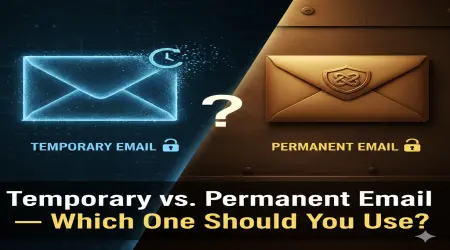
The biggest difference between disposable email and Gmail aliases is identity exposure.
| Feature | Disposable Email | Gmail Alias |
|---|---|---|
| Connected to real identity | No | Yes |
| Long-term storage | No | Yes |
| Spam protection | High | Medium |
| Tracking protection | High | Low |
| Inbox persistence | Temporary | Permanent |
| Account required | No | Yes |
Disposable email hides identity.
Gmail aliases manage identity.
This distinction is critical.
How Disposable Email Works Technically
Temporary email providers operate without traditional user accounts.
The process typically includes:
random address generation
temporary message routing
real-time inbox display
automatic deletion
No permanent user record exists.
This design minimizes data storage and reduces long-term exposure.
How Gmail Aliases Work Technically
Gmail aliases rely on Gmail’s internal email routing rules.
When an email is sent to an alias:
Gmail removes formatting variations
matches base address
delivers to main inbox
The system treats aliases as variations of one identity — not separate accounts.
Privacy Comparison — Which Protects You Better?
From a privacy perspective, disposable email is significantly stronger.
Disposable Email Privacy Advantages
no personal identity link
no long-term storage
reduced tracking exposure
minimal data retention
Gmail Alias Privacy Limitations
still linked to real account
persistent tracking possible
data stored by provider
behavioral profiling remains
If privacy is your primary goal, disposable email is clearly superior.
Spam Protection Comparison
Both methods help manage spam, but differently.
Disposable Email
Spam disappears when inbox expires.
No long-term accumulation.
Gmail Alias
Spam still reaches main inbox but can be filtered.
Requires management.
Real-World Spam Example
If a company sells your email:
With disposable email:
→ spam disappears with inbox
With Gmail alias:
→ spam continues indefinitely unless filtered
Security Implications
Security depends on how email is used.
Disposable Email Security
Pros:
reduced exposure to breaches
no permanent credentials
no account takeover risk
Cons:
no password protection
no recovery
sometimes public inboxes
Gmail Alias Security
Pros:
protected by Gmail security
two-factor authentication
encrypted storage
Cons:
identity remains exposed
data stored long-term
Which Is Better for Account Registrations?
It depends on account importance.
For Low-Risk Signups
Disposable email is better.
Examples:
free downloads
forums
trial services
one-time access
For Long-Term Accounts
Gmail alias is better.
Examples:
subscriptions
memberships
recurring services
You maintain control and recovery.
Comparison Table — Disposable Email vs Gmail Alias
| Category | Disposable Email | Gmail Alias |
|---|---|---|
| Privacy | Very high | Moderate |
| Convenience | High | Very high |
| Security | Moderate | High |
| Longevity | Temporary | Permanent |
| Spam handling | Automatic removal | Requires filtering |
| Identity protection | Strong | Weak |
| Recovery options | None | Full |
| Best for | anonymity | organization |
Practical Use Case Scenarios
Scenario 1 — Testing a New App
Best choice: Disposable email
No need for permanent account.
Scenario 2 — Managing Online Shopping Emails
Best choice: Gmail alias
Easy filtering and organization.
Scenario 3 — Anonymous Online Activity
Best choice: Disposable email
Identity separation required.
Scenario 4 — Newsletter Subscriptions
Best choice: Gmail alias
Allows filtering and long-term access.
Can Websites Detect the Difference?
Yes.
Many websites can detect disposable email domains and block them.
Gmail aliases are harder to detect because they belong to real Gmail accounts.
If access reliability matters, aliases may work better.
When You Should NOT Use Disposable Email
Avoid using temporary email for:
banking
legal services
health records
important subscriptions
password recovery
You risk losing access permanently.
When You Should NOT Use Gmail Aliases
Avoid aliases when:
anonymity is required
trust level is low
data exposure risk is high
Your identity remains visible.
Best Strategy — Use Both Together
Smart users combine both methods.
Disposable email for:
unknown websites
quick signups
privacy protection
Gmail aliases for:
ongoing communication
subscriptions
organization
This hybrid approach provides maximum control.
Future of Email Identity Management
Email privacy awareness continues to grow.
Future developments may include:
auto-generated disposable identities
privacy-focused email routing
decentralized email networks
stronger anti-tracking systems
Identity separation is becoming standard digital practice.
Final Verdict — Which Is Better?
There is no universal winner.
The best option depends on your goal.
Choose disposable email if you want:
✔ maximum privacy
✔ zero commitment
✔ identity protection
Choose Gmail alias if you want:
✔ convenience
✔ long-term access
✔ organization
Key Takeaways
✔ Disposable email hides identity and auto-expires
✔ Gmail aliases manage email without creating new accounts
✔ Temporary email offers stronger privacy
✔ Gmail aliases offer better long-term usability
✔ Combining both provides best results
Conclusion
Disposable email and Gmail aliases serve different but complementary roles in modern digital life.
Disposable email protects privacy and minimizes exposure. Gmail aliases provide structure and convenience within a permanent account.
Understanding when to use each tool allows you to control your digital identity, reduce spam, and protect your personal data more effectively.
For most users, the smartest strategy is not choosing one — but using both.