
A Complete Developer & QA Guide
Mobile applications rely heavily on email communication. From account creation and identity verification to password recovery, push notification backups, and subscription confirmations, email plays a central role in how users interact with mobile apps.
For developers and QA teams, this creates a major testing requirement:
How do you repeatedly test mobile app email workflows across devices, environments, and user scenarios — without managing dozens or hundreds of real email accounts?
The answer is temporary email.
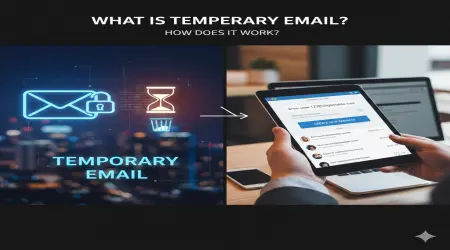
Temporary email (also known as disposable email or burner email) allows developers and testers to generate short-lived email addresses that receive messages instantly and expire automatically. These addresses are not tied to personal identity and require no registration.
In mobile app testing, temporary email provides scalable user identities, supports automation, improves privacy, and dramatically simplifies testing workflows.
This comprehensive guide explains how temporary email works in mobile app testing, why it’s essential for modern QA environments, and how development teams can integrate it effectively.
This article is written for beginner and intermediate mobile developers, QA testers, and product teams building Android, iOS, or cross-platform applications.
What Is Temporary Email in Mobile App Testing?
Temporary email is a short-term inbox that exists only for a limited duration. It allows users (or testers) to receive messages without creating a permanent account.
In mobile app testing, temporary email is used to simulate real users interacting with email-dependent features such as:
account registration
email verification
password recovery
onboarding flows
subscription confirmation
invitation acceptance
system notifications
Instead of using real email accounts, testers generate disposable addresses for each test case.
This allows rapid, repeatable testing without long-term account management.
Why Email Testing Is Critical in Mobile Apps
Mobile applications frequently depend on email for identity and communication.
Unlike traditional desktop software, mobile apps often rely on email as the primary authentication and notification channel.
Core Mobile App Email Workflows
Most mobile apps include at least one of the following:
User onboarding
account creation confirmation
welcome messages
verification links
Security features
password reset
device change alerts
login verification
Subscription and billing
purchase confirmations
renewal reminders
payment failure alerts
Engagement messaging
feature announcements
inactivity reminders
promotional messages
Each of these workflows must be tested thoroughly across devices and network conditions.
Challenges of Testing Mobile Email Workflows
Mobile testing introduces additional complexity beyond standard web testing.
Common issues include:
device-specific behavior
deep link handling
mobile email client compatibility
network latency
platform-specific restrictions
Using real email accounts makes this process slow and difficult to scale.
Temporary email addresses provide a flexible solution.
Why Temporary Email Is Ideal for Mobile App Testing
Disposable email offers several advantages specifically suited to mobile development environments.
Rapid Account Creation Across Devices
Mobile testing often involves multiple devices:
Android phones
iPhones
tablets
emulators
Each test scenario may require a unique user identity.
Temporary email enables instant account generation on any device.
Clean Test Isolation
Each temporary inbox contains only messages relevant to a specific test.
This prevents confusion caused by:
reused accounts
previous test messages
outdated verification links
Clean environments improve test accuracy.
Support for Repeated Installation Testing
Mobile apps frequently require testing of:
uninstall/reinstall flows
account reactivation
multi-device login
Temporary email allows unlimited account creation for repeated testing.
Automation Compatibility
Disposable email integrates easily with automated testing frameworks used in mobile development:
Appium
Espresso
XCTest
CI/CD pipelines
Email retrieval can be automated, enabling full lifecycle testing.
Common Mobile App Testing Scenarios Using Temporary Email
Temporary email supports many real-world mobile QA workflows.
New User Registration Testing
Mobile apps often require email verification before activation.
Testers validate:
email delivery speed
deep link behavior
account activation flow
expired verification handling
Disposable email enables repeated onboarding tests.
Password Reset and Recovery Testing
Security features must work across devices.
Testing includes:
reset email delivery
token validity
link opening behavior in mobile browsers
in-app password change confirmation
Temporary email provides isolated recovery scenarios.
Push Notification Backup Testing
Some apps send email when push notifications fail.
Testers can validate:
fallback notification triggers
delivery timing
message content
Subscription and In-App Purchase Testing
Mobile apps frequently send transactional emails.
Testers verify:
purchase confirmations
renewal alerts
subscription cancellation emails
Temporary email allows repeated purchase simulations.
Multi-Device Account Testing
Many apps allow login from multiple devices.
Disposable email supports testing of:
account linking
device switching
session management
Temporary Email vs Real Email for Mobile Testing
A direct comparison highlights operational benefits.
| Feature | Temporary Email | Real Email |
|---|---|---|
| Setup time | Instant | Manual |
| Device testing scalability | Unlimited | Limited |
| Account reuse conflicts | None | Common |
| Automation compatibility | High | Limited |
| Privacy exposure | Minimal | Higher |
| Ideal for mobile QA | Yes | Often inefficient |
Temporary email significantly improves mobile testing workflows.
Step-by-Step: Testing Mobile Email Workflows
A structured process ensures reliable testing.
Step 1 — Generate Temporary Email
Create a new disposable address for each test.
Use it to simulate a new mobile user.
Step 2 — Trigger Mobile App Action
Examples:
register account
request password reset
make purchase
Step 3 — Validate Email Delivery
Check whether the message arrives correctly.
Confirm:
timing
formatting
sender identity
Step 4 — Test Mobile Link Behavior
This is critical for mobile apps.
Verify:
deep links open correctly
links launch the app
fallback to browser works
Step 5 — Confirm App State Changes
Ensure the expected behavior occurs:
account activated
password updated
subscription enabled
Step 6 — Repeat with Variations
Test multiple scenarios:
slow network
expired tokens
repeated requests
Temporary email supports unlimited repetition.
Using Temporary Email in Mobile Test Automation
Automation is essential for mobile app scalability.
Disposable email enables automated flows such as:
Generate test email
Install app
Register account
Retrieve verification message
Extract link
Continue automated test
This allows complete onboarding validation in CI/CD pipelines.
Security Implications of Temporary Email in Mobile Testing
Temporary email is powerful but must be used responsibly.
Public Inbox Exposure
Some disposable inboxes are accessible without authentication.
Sensitive data should never be sent during testing.
Token Security Validation
Temporary email allows testing of:
link expiration
single-use enforcement
unauthorized reuse
Abuse Simulation
Developers can simulate:
mass account creation
verification bypass attempts
spam account generation
This strengthens system defenses.
Privacy Benefits in Mobile App Testing
Using real email accounts for testing may expose personal or corporate data.
Temporary email supports privacy-conscious development by:
preventing data leakage
minimizing identity storage
enabling anonymized testing
This aligns with data protection regulations.
Real-World Example: Testing a Social Media Mobile App
Testing workflow:
Generate temporary email
Register new account
Verify confirmation email
Upload profile information
Trigger notification email
Test password reset
Log in on second device
Delete account
Each cycle uses a new disposable identity.
Advanced Mobile Testing Strategies
Experienced QA teams use temporary email for:
device compatibility testing
global email delivery validation
localization testing
large-scale onboarding simulation
load testing communication infrastructure
Temporary email enables scalable experimentation.
When Not to Use Temporary Email
Disposable email is not appropriate for testing:
long-term engagement tracking
legal or compliance notifications
persistent account recovery scenarios
Permanent identities may be required.
Best Practices for Mobile QA Teams
To maximize testing efficiency:
Use separate staging environments
Test email rendering on mobile clients
Validate deep link handling thoroughly
Monitor delivery performance
Document expected email behavior
Temporary email supports structured testing methodology.
How Temporary Email Improves Mobile App Quality
Reliable email workflows directly impact user experience.
Proper testing leads to:
higher onboarding success
improved security reliability
fewer support requests
better retention rates
Temporary email enables comprehensive testing coverage.
Conclusion: Why Temporary Email Is Essential for Mobile App Testing
Temporary email provides a scalable, flexible, and privacy-friendly solution for testing mobile email workflows.
It enables:
rapid user identity generation
automation-friendly testing
clean test environments
reliable communication validation
For mobile developers and QA teams, disposable email is a critical testing tool.
Actionable Takeaways
To implement temporary email in mobile testing:
Use disposable email for all onboarding tests
Validate deep links and app routing
Automate email retrieval in test scripts
Test across multiple devices and networks
Simulate high-volume user registration
Protect sensitive data in testing environments
Integrate email workflow testing into CI/CD
By incorporating temporary email into mobile QA workflows, development teams can build more reliable, secure, and scalable applications.
Temporary email is a foundational component of modern mobile app testing infrastructure.