
Temporary Email for SaaS Testing
A Complete Developer & QA Guide
Software-as-a-Service (SaaS) platforms depend heavily on email communication. From account creation and onboarding to billing alerts and product notifications, email is deeply integrated into nearly every SaaS workflow.
For developers, QA engineers, and product teams, this creates a practical challenge:
How do you test email-dependent features repeatedly, reliably, and at scale without using real email accounts?
The answer is temporary email.
Temporary email (also called disposable or throwaway email) allows SaaS teams to simulate real user activity without long-term identity management. It enables faster testing cycles, cleaner environments, and scalable automation.
In this comprehensive developer guide, you’ll learn:
What temporary email is and how it works in SaaS testing
Why SaaS platforms rely heavily on disposable email for QA
Real-world testing scenarios and workflows
Automation and CI/CD integration strategies
Security and privacy implications
Best practices for professional testing environments
Actionable steps to implement temporary email in SaaS development
This guide is written for beginner and intermediate developers, testers, and SaaS product teams who want to improve testing efficiency and reliability.
What Is Temporary Email in SaaS Testing?
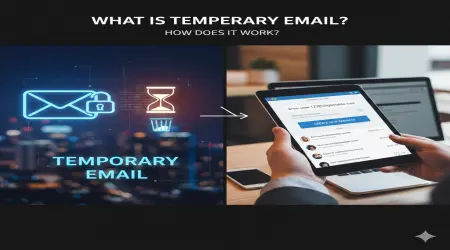
Temporary email is a short-lived inbox that exists only for a limited period. It allows messages to be received without creating a permanent email account.
In SaaS testing, temporary email is used to simulate user identities and email-based interactions such as:
account registration
email verification
password reset
subscription activation
billing notifications
feature alerts
user invitations
Instead of using real email accounts, testers generate disposable addresses that automatically expire after use.
This approach supports rapid testing without persistent data storage or account maintenance.
Why Email Is Central to SaaS Platforms
Unlike many traditional applications, SaaS platforms rely heavily on email as part of their core architecture.
Common SaaS email dependencies include:
user onboarding workflows
authentication verification
subscription management
account security alerts
transactional communication
product engagement messaging
Because email is embedded in the user lifecycle, it must be tested thoroughly before deployment.
Temporary email provides the infrastructure needed to test these interactions safely and repeatedly.
Why SaaS Teams Use Temporary Email for Testing
SaaS products often involve complex user journeys and high levels of automation. Temporary email helps manage these complexities in practical ways.
Enables Scalable User Simulation
SaaS testing frequently requires large numbers of unique users.
Examples:
testing free trial limits
validating subscription tiers
testing invitation systems
multi-tenant account creation
Disposable email allows unlimited unique identities without managing real inboxes.
Simplifies Account Lifecycle Testing
SaaS products include many account states:
new user
active user
suspended account
upgraded subscription
canceled account
Each state may trigger different email notifications. Temporary email allows teams to test these lifecycle transitions quickly.
Supports Continuous Testing Environments
Modern SaaS development relies on:
staging environments
automated deployments
continuous integration
regression testing
Temporary email fits naturally into automated pipelines by providing on-demand inboxes.
Eliminates Inbox Maintenance
Using real email accounts creates operational overhead:
password management
spam filtering
inbox cleanup
account resets
Disposable email eliminates these tasks entirely.
Common SaaS Testing Scenarios Using Temporary Email
Temporary email plays a role in nearly every stage of SaaS testing.
User Registration and Verification
Most SaaS platforms require email confirmation.
Developers must test:
verification link generation
email delivery timing
activation flow behavior
expired token handling
duplicate signup prevention
Disposable email ensures each registration test is independent.
Free Trial Activation
SaaS platforms often offer limited trial periods.
Testing requires:
multiple trial activations
trial expiration notifications
conversion prompts
upgrade reminders
Temporary email supports repeated trial creation without managing real identities.
Password Recovery Testing
Security testing requires validation of password reset mechanisms.
Key test points include:
reset email generation
token expiration logic
secure link handling
multi-device recovery flows
Disposable inboxes provide clean reset environments.
Subscription and Billing Notifications
SaaS platforms send transactional emails such as:
payment confirmations
invoice generation
renewal reminders
failed payment alerts
Temporary email helps test financial communication logic without exposing real billing accounts.
Team Invitations and Collaboration
Many SaaS tools support multi-user workspaces.
Testing requires:
invitation email delivery
role assignment confirmation
acceptance workflows
permission validation
Temporary email enables rapid creation of multiple team members.
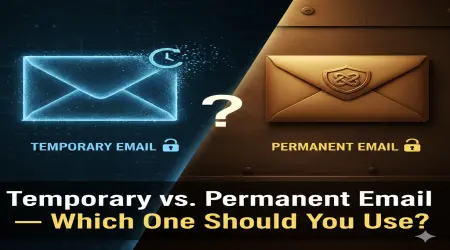
Temporary Email vs Real Email in SaaS Testing
The advantages of disposable email are clearer when compared directly.
| Feature | Temporary Email | Real Email |
|---|---|---|
| Setup time | Instant | Manual |
| Identity persistence | Temporary | Permanent |
| Inbox management | Automatic deletion | Manual cleanup |
| Scalability | Unlimited | Limited |
| Automation support | High | Limited |
| Privacy exposure | Minimal | Higher |
| Best for SaaS testing | Yes | No |
For large-scale SaaS environments, temporary email significantly reduces operational friction.
Integrating Temporary Email into SaaS Testing Workflows
Professional SaaS teams often integrate disposable email directly into testing infrastructure.
Automated End-to-End Testing
Typical automated flow:
Generate temporary email
Register new SaaS account
Wait for verification email
Extract activation link
Complete onboarding process
This process can run automatically in test scripts.
Continuous Integration Pipelines
Temporary email is commonly used in:
deployment validation
regression testing
feature rollout testing
staging environment monitoring
Each build can simulate real user registration.
API Testing and Integration Validation
SaaS platforms often integrate with third-party services.
Temporary email helps validate:
webhook notifications
integration triggers
external service confirmations
Security Implications of Temporary Email in SaaS Testing
While temporary email is extremely useful, it introduces security considerations developers must understand.
Limited Message Confidentiality
Some disposable inboxes may be publicly accessible during their active period.
This means:
messages may be visible to others
verification links may be exposed
sensitive data should never be sent
Testing environments must be isolated from production systems.
Token Exposure Risks
Verification tokens sent to disposable email may be accessible if the address becomes known.
Developers should:
use short token lifetimes
enforce single-use links
implement rate limiting
Temporary email helps test these protections.
Abuse Simulation and Prevention
Temporary email can simulate real-world abuse scenarios such as:
mass account creation
trial exploitation
spam account generation
Testing with disposable email helps identify vulnerabilities early.
Privacy Benefits in SaaS Testing
Using real email accounts for testing can expose personal data or corporate identities.
Temporary email supports privacy-first development by:
preventing personal data leakage
reducing test data retention
supporting anonymized environments
enabling GDPR-friendly testing
Privacy-aware testing is essential for compliance-focused SaaS products.
Real-World Example: Testing a Subscription SaaS Platform
Consider a SaaS project management tool offering free trials and team collaboration.
Testing workflow using temporary email:
Generate new disposable address
Start free trial account
Verify email confirmation
Invite team members using additional temporary emails
Upgrade subscription tier
Trigger billing email
Cancel subscription
Verify cancellation confirmation
Each step can be repeated with fresh identities.
Performance and Load Testing with Temporary Email
SaaS platforms must scale reliably.
Temporary email supports large-scale simulation:
mass account creation
concurrent onboarding
high-volume email delivery testing
infrastructure stress testing
Disposable addresses enable realistic user modeling.
Best Practices for SaaS Teams Using Temporary Email
To maximize effectiveness, follow structured testing guidelines.
Use Dedicated Testing Environments
Never mix disposable email testing with live production users.
Maintain separate environments for:
development
staging
QA
Validate Email Deliverability
Temporary inboxes help verify:
SMTP configuration
spam filtering
delivery delays
template rendering
Implement Anti-Abuse Testing
Use disposable email to test:
signup rate limits
bot detection
trial abuse prevention
Document Email Workflows
Maintain documentation of:
triggered email events
expected content
delivery timing
Temporary email helps validate documentation accuracy.
When Temporary Email Should Not Be Used
Despite its benefits, disposable email is not appropriate for all SaaS testing scenarios.
Avoid using temporary email for:
long-term user retention testing
legal notification systems
account recovery simulation over time
compliance archiving validation
Permanent accounts are required for persistent data testing.
Advanced SaaS Testing Strategies Using Temporary Email
Experienced teams use disposable email for advanced testing methods.
Examples:
multi-tenant isolation testing
feature flag rollout validation
international email delivery testing
localization verification
spam filtering behavior analysis
Temporary email provides flexible testing infrastructure.
Conclusion: Why Temporary Email Is Essential for SaaS Testing
Temporary email is a foundational tool for modern SaaS development.
It enables:
rapid identity creation
scalable automation
clean testing environments
privacy-focused workflows
realistic user simulation
Because SaaS platforms rely heavily on email-driven processes, disposable inboxes dramatically improve testing speed, reliability, and security validation.
Actionable Takeaways for SaaS Developers
To implement temporary email effectively:
Use disposable email for all registration and verification testing
Integrate temporary inbox generation into automated test scripts
Validate email templates and delivery performance regularly
Use temporary email to test abuse prevention systems
Never send sensitive production data to disposable inboxes
Include temporary email testing in CI/CD pipelines
Use disposable identities for load and scalability testing
By incorporating temporary email into SaaS testing workflows, teams can build more reliable, secure, and scalable applications — while significantly reducing testing complexity.
Temporary email is not just a convenience for SaaS developers — it is a critical component of efficient, modern testing infrastructure.